See the level change
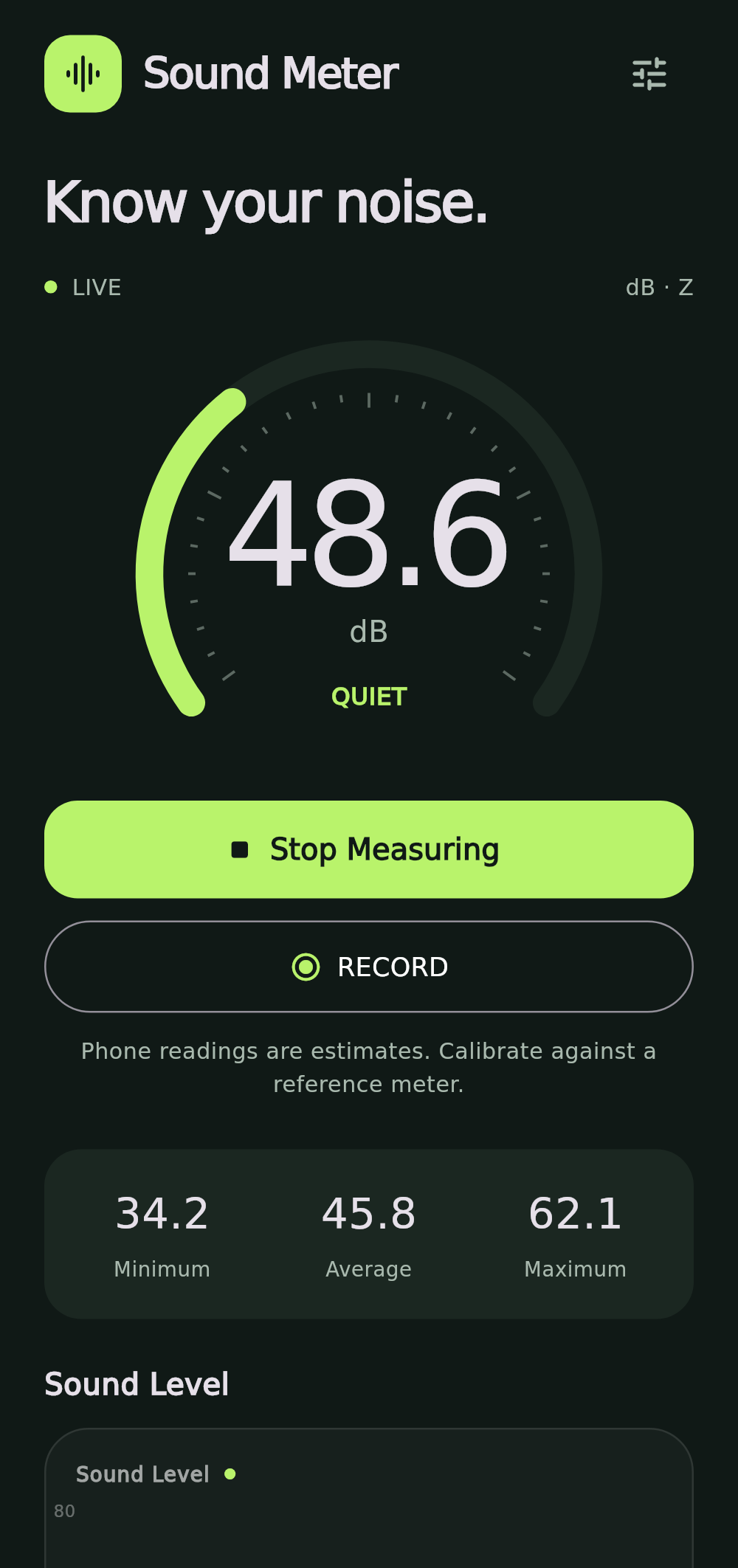
View sound-level estimates and a live chart. Explore A, C and Z weighting and frequency information in supported versions.
 Sound Meter Proby GBapps
Sound Meter Pro: Decibel Meter
Explore noise levels around you with your Android phone. Follow live readings, save measurement sessions and look back at changes over time.
View on Google PlayMicrophone analysis on your device · No account required
From a moment to a measurement
View sound-level estimates and a live chart. Explore A, C and Z weighting and frequency information in supported versions.
Save numerical readings in a named session, then revisit timestamps and minimum, maximum and average levels on your device.
Generate a PDF summary and choose where to save or share it. Check the report before sending it to another app or service.
Your microphone. Your choice.
Microphone samples are analysed on your device. Saved sessions contain numerical measurements, rather than recordings of conversations. You control microphone permission and report sharing.
Read the Privacy PolicyUse it with perspective
Results depend on your phone’s microphone, placement and calibration. Use certified equipment when accuracy or regulated measurements matter. A low reading does not establish that a space is safe.
Read the Terms of Use